
Great experiences
build great brands.
Welcome to Slinky. Make yourself at home. We provide professional web design in Perth. We create websites to communicate what’s great about your business. We will help you tell your story with a powerful website that works. Start growing your business today.
RECENT WORK

Sorgiovanni Designs
WordPress, CMS, Web Design

Art Of Seafood
WordPress, Web Design, CMS, Hosting

Calneggia Family Vineyards
WordPress, Web Design, Hosting

Luxury Villas Bali
WordPress, Web Design, CMS, SEO

Empire Retreat
WordPress, Web Design, Website Hosting
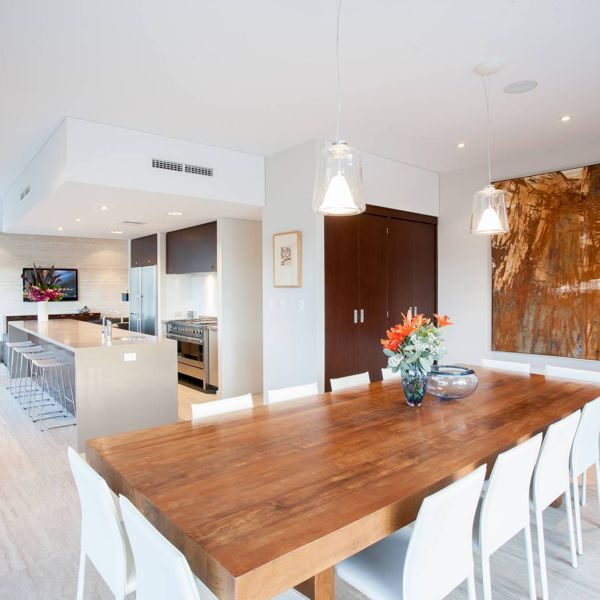
Tomizzi Builders
WordPress, Web Design, Website Hosting

Helibiz
WordPress, Web Design, Website Hosting

Street Life
WordPress, Web Design, Website Hosting
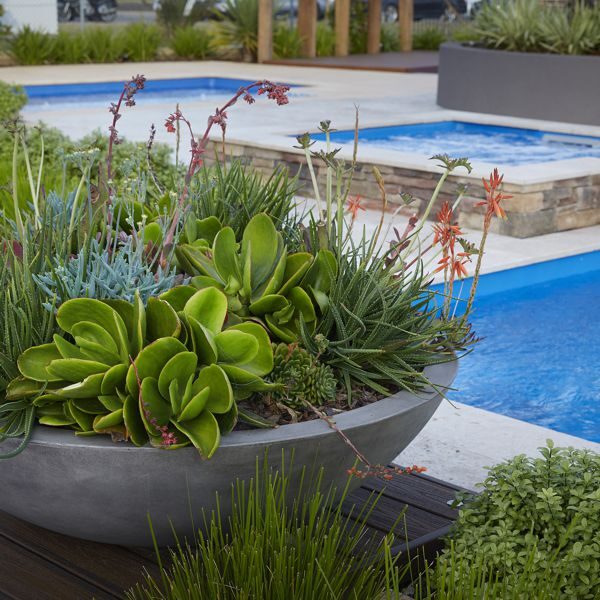
Landscapes WA
WordPress, Web Design, CMS, SEO

Jordan Love Racing
WordPress, Web Design, Website Hosting
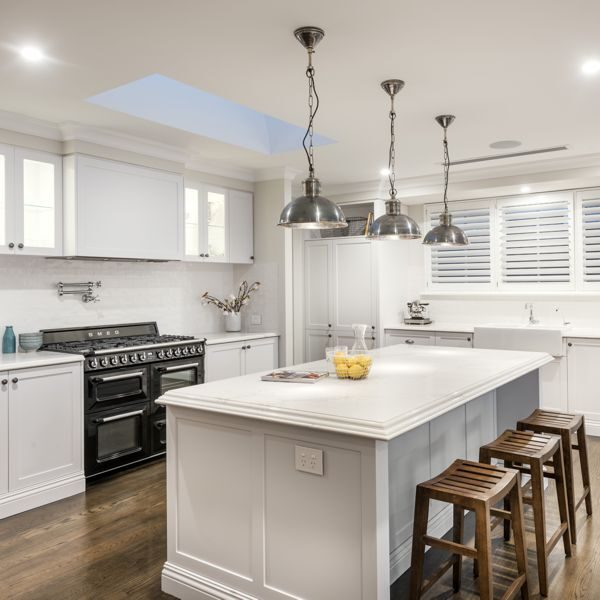
Colray Cabinets
Web Design, SEO, Website Hosting

Echo Marine Group
WordPress, Web Design, Website Hosting
WEB DESIGN
Our creative web designers in Perth will make your brand stand out from the crowd. Your website will look great on either desktop or mobile devices. Talk to our website designers today.
MAINTENANCE
We have website maintenance packages designed to help you worry less about your WordPress website, knowing it is being cared for by our Perth based professionals.
MARKETING
We provide a range of professional digital marketing services including SEO and Google Ad management services. We have an excellent track record of delighted, loyal clients.
Talk to us today on (08) 6102 1222
Some of the people we have worked with







What our clients say
Client testimonials
I’ve just had a look at the website and looks fantastic!! …Thank you so much for keeping to the rather short time frame – we are thrilled with the end result.
Tanya Hawtin / The Lawncare Man

I just wanted to say a few words of appreciation for the good job you and your guys have done on this project! It was a pleasure working with you!
Steve Uspensky / AlloySteel International
Wow it looks amazing, easy to follow and I especially love the ‘contact’, brilliant. Brilliant work, thank you so much for being so efficient and professional. Thanks.
Nadine Tomizzi / Tony Tomizzi Builders Pty Ltd
Read more testimonials
About us
Our whole team share a passion for translating a great idea into an innovative user experience
Slinky Web Design is a professional web page design company based in Perth, Western Australia, with a simple strategy to produce beautiful web pages and gain our clients ‘ ranking positions in all the major search engines, such as Google. We are a Google Partner company with the required expertise to provide you with a solution to stand out in your marketplace. Read more about us
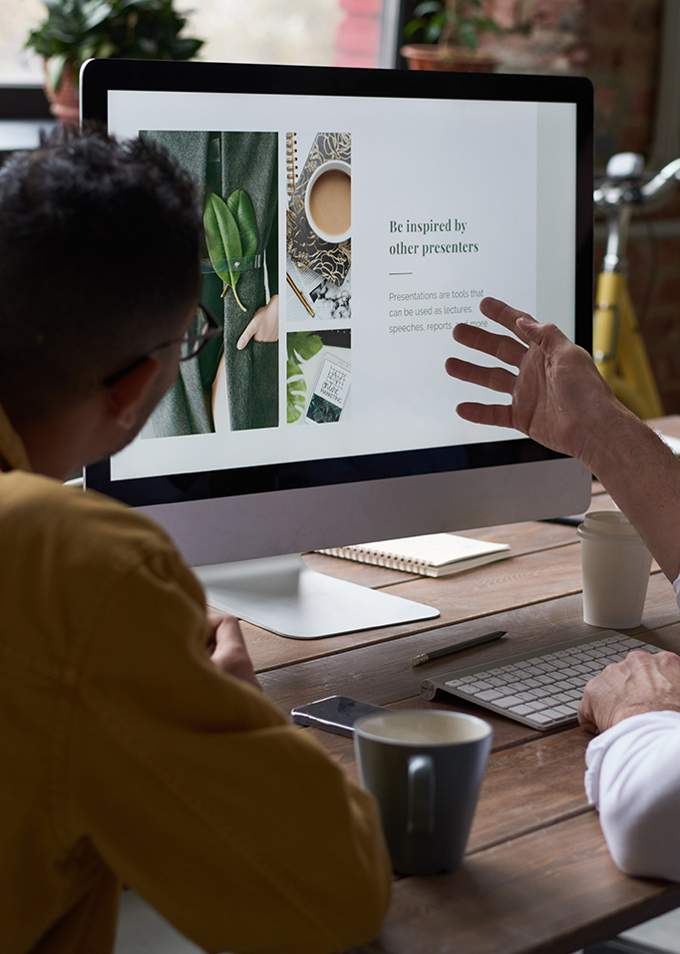
Responsive websites
Responsive web design allows optimal viewing of websites on a wide range of devices from desktop computer monitors, laptops to mobile phones or tablet devices.
Over the past couple of years, responsive websites have become a hot topic in the online community and is fast entering the realm of standard practice. Responsive websites respond to their environment which basically means websites should adapt their layout and design to fit any device that chooses to display it.
- Suitable for all mobile devices
- Optimised for loading speed
- Thoroughly Tested
There are several reasons why responsive website design is important.
The first is that businesses no longer have to incur the expense of having multiple websites, each suitable for the various devices they may be viewed on. Instead, only one website needs to be built. but it responds to the device being used. Another benefit is that you only have to maintain and look after one website instead of two.
Next, is the fact that responsive websites will load quicker on mobile devices than those which are classed as ‘mobile’ websites. This not only improves the users’ experience but is a positive in the eyes of Google, who reward fast loading websites, and penalise slow loading websites, with the respective move up or down on their rankings, to follow.
While mentioning Google it is also important to note that Google now sees mobile searches as having a higher priority than searches made on desktop computers. This means that their search results are going to be biased towards responsive websites that can be viewed perfectly on mobile devices.
You also have to take account of the fact that many, if not most, of your potential customers, are more likely to use their mobile devices as they go about their day, than their desktop computers. You want to be in front of those customers when they are searching for what you offer, and if your website isn’t responsive, then they will never find you.
eCommerce websites
We are eCommerce website designers & developers based in Western Australia - servicing all of Australia.
Effective eCommerce is about strong technology and great marketing. Slinky have been delivering customised eCommerce designed shopping carts for clients of all sizes since 2000. The greatest challenge in building a successful eCommerce website is ensuring that the conversion rate of the website is high.
eCommerce & mobile devices
The simple fact is that people, and more importantly, customers, are changing the way they purchase goods and services online. For a start, the amount of information available to them is greater than ever before, so in advance of any purchase they have the means to check out the company’s track record, and in particular reviews from its customers.
The most significant change is that mobile traffic on the internet has overtaken desktop traffic which means your potential customers are more likely to be visiting your website on a mobile device. To ensure that you take advantage of that fact, it is essential that your eCommerce website is suited to mobile devices. The way this is achieved is by making it responsive, and thus able to adapt to the screen size of the device being used.
If it is responsive then your eCommerce site can more or less operate as it would on a desktop computer, albeit there may be some visual elements that change. That being said, in terms of visitors being able to browse through your website, gather information about your products, and ultimately being able to purchase them, should be as straightforward on a mobile device, as it would be on a desktop one.e
A number of key elements obviously have to be in place such as payment processing, and security. Normally, these would be part and parcel of the development of your eCommerce website when it was being created, or subsequently upgraded to include them.


Website content
What content should I have on my website?
The beauty of modern web design is that there are so many options available for content that you are almost spoilt for choice. Ideally, it would be best if you aimed to have a mix of content, and more desirable than that, a content mix that research shows is popular with the sorts of visitors you are hoping to attract to your website.
The most common type of content is the written word, which can serve several purposes. The first is that it engages your audience, provides them with information and advice, and hopefully entertains them if that is what it is designed to do.
Another benefit of written content is it provides Google with information on the subject matter of your websites and the keywords you wish to rank for. Text can also be used to create hyperlinks to other pages within your website or other websites as part of your SEO optimisation strategy.
The forms of content that you can use text for include case studies, white papers, blog posts, checklists, guides, ‘how-tos’, reviews and written interviews.
Video plays a huge role on the internet and is a form of content you should consider. A 30-second video can often be more effective in engaging a potential customer than 500 words of text.
Images also play an essential role, not just as a form of content, but in enhancing the design and user-friendliness of your web design by breaking up pages and chunks of text. You could combine images and text to create memes and infographics, which are extremely popular.
Website development
What is web development?
Web development is a function that relates to the coding and programming of websites. In effect, web development is what builds the structure and functionality of a website, rather than the visual design of it. It might be regarded as a more technical function than the design, although that is not to say that designing a website doesn’t take a lot of skill and technical know-how.
For web development, several coding and programming languages may be used such as HTML, JavaScript, and CSS. These not only allow the website to be built but once it goes live these programming languages enable the website to function. The functions can be many and varied depending on the size and complexity of the website.
Web development is also what allows visitors to the website to interact with it. Examples of this can range from a simple pop-up asking for the visitor’s email address, to a fully functioning e-commerce website, including product videos and payment processing.
The coding that web developers use can be from several sources and in most cases, a combination of these is used. They may be skilled enough to write their own code from scratch, they may employ a software company to create bespoke coding, and they may use numerous pieces of pre-written software which they incorporate into the website they are building.
Web development impacts on both the front end of the website and the back end. The front end can be the coding that allows an embedded video to play and be watched by visitors. Backend coding might relate to the SEO metadata, which is seen by search engine spiders, but not visitors to the website.

Digital marketing
How do I get prospective clients / customers to find my new website?
While we focus on high-performance website builds, our dedicated team at SEO Perth Experts handles advanced organic growth strategies and has been delivering highly successful SEO campaigns for over 20 years. You can view their SEO case studies here.
Web Design FAQ’s
Answers to some frequently asked questions
- Once my website is completed, what happens next?
- Do I need to provide content for my new website?
- Will my website work well on mobile devices?
- What is an SSL certificate, and does my website need one?
- What is the difference between web development and web design?
- What does it cost to hire a web designer?
- How long does it take to design a website?
- What's the difference between custom web design and template websites?
- How will my new website help my business grow?
- Do you offer website maintenance after launch?
After your website design is done, it’s time to test the site.
To make sure everything is functioning perfectly before going live, we send you a link to the development server.
On the dev server, you can view and test the site – then provide our team with feedback.
You’ll be able to check things like – are the video playing correctly, are the contact forms sending you emails, menu navigation, and button functionality.
For eCommerce websites, you can do test purchases to make sure the checkout system works fine.
You can verify that the entire customer flow works seamlessly from product selection through to checkout and order confirmation.
Behind the scenes, our website designers and developers run technical assessments to ensure optimal performance.
This includes verifying page load speeds, checking all internal and external links are functioning correctly, and validating that all code executes properly.
Our web design company also tests compatibility with all major browsers such as Chrome, Firefox, Safari, and Edge.
Responsive design testing is super important in today’s mobile-first world.
Our Perth web design agency ensures your site displays and functions correctly across various devices – from desktop computers to tablets and smartphones of different screen sizes.
Once these tests are successfully completed, we coordinate getting your new website live ie: uploading it to your hosting server so that it is viewable on your www domain name.
We can also set up analytics tracking, and show you how to manage your content via your WordPress backend.
Many Western Australian businesses choose to continue their relationship with our web designers through ongoing maintenance plans that ensure their websites remain secure, updated, and performing at its best.
While our Perth web designers can create stunning layouts and functionality, the most effective websites feature content that truly reflects your business branding and image ie: your voice!
Most clients provide their own text and images, though our web design agency offers copywriting and photography services if needed.
We can guide you on content requirements and help structure information effectively.
Remember, quality content greatly impacts your website users’ engagement.
Absolutely.
We have been a ‘mobile first’ web design agency for over 10 years therefore mobile responsiveness is standard practice for all websites created by our Perth web designers.
With over 60% of web traffic now coming from mobile devices, the website designer that works on your project will ensure your site automatically adapts to display perfectly on all mobile devices ie: smartphones, tablets, and desktops.
Our WA web design team tests extensively across various devices and screen sizes before launch, guaranteeing a seamless experience for all visitors regardless of how they access your website.
When browsing websites, you’ve likely noticed a padlock icon or “Secure”/”Not Secure” text beside the website address in your web browser. This padlock icon shows whether a site has an SSL certificate installed. SSL (Security Sockets Layer) serves as a trust signal to help website visitors feel confident about a website’s security.
Our web designers in Perth explain to clients that while an SSL certificate doesn’t mean a business has undergone extensive background checks, it does provide important security benefits that modern websites need as a priority.
Today, having an SSL certificate isn’t optional.
Google prioritises secure websites in search results, and sites without SSL certificates typically get little search traction.
Our web design agency regularly helps Perth businesses implement proper SSL certification as part of our standard website development process.
Beyond search rankings, SSL certificates offer several critical advantages.
They build visitor trust in your brand, protect sensitive information like passwords and payment details from potential hackers, and ensure compliance with Payment Card Industry (PCI) requirements for businesses accepting online transactions.
As experienced website designers serving Perth and throughout Western Australia, we can either set up SSL certification on our hosting servers for you – or on your hosting server.
If your current site doesn’t have SSL, our web team can quickly set this up for you in order to safeguard your online presence and improve your search visibility.
Many people mix up web development and web design, often thinking they’re the same thing.
The kind of are – but they are not really. ie: some designers are trained in web development and visa versa.
While these guys often work with each other when creating websites, they serve distinctly different functions in the process.
Web Design
A helpful way to understand the difference is to think about building a car. Web design focuses on visual and user experience elements—similar to a car’s exterior styling, interior layout, colour options, and dashboard arrangement. Our Perth web designers concentrate on creating attractive, user-friendly interfaces including colour schemes, theme selection, page layouts, logo placement, and image choices.
These elements collectively shape how your website looks and feels to visitors.
Web Development
Web development deals with the technical aspects that power your website—comparable to a car’s engine, fuel system, electronics, and performance features. Our web development team in Western Australia handles the coding, functionality, plugin integration, loading speed optimisation, and technical SEO implementation.
These components determine how your website actually works.
An interesting parallel is that, just like a car’s engine sits “under the bonnet” mostly hidden from view, many aspects of web development remain invisible to website visitors. They’ll experience the benefits—such as fast loading times, smooth functionality, and responsive behaviour—without seeing the complex code that makes it possible. Meanwhile, design elements are immediately visible and shape first impressions.
At our Perth web design company, we bring together skilled website designers and developers who collaborate closely to create sites that are both visually appealing and technically sound. This integrated approach ensures Western Australian businesses receive websites that not only look professional but also perform exceptionally well for their visitors and in search results.
Our web design agency believes both aspects deserve equal attention—great design attracts visitors, while solid development keeps them engaged and converts them into customers.
The short answer is to check our website costs in Perth.
But by way of detailed explanation, the cost of professional website design, there’s no one-size-fits-all answer.
The price varies widely based on your project’s scope, functionality requirements, and design complexity.
Think of website pricing like house building – a simple structure costs less than an architectural masterpiece with custom features.
Many businesses initially look for cheaper options, such as overseas freelancers offering websites for $250 – 1500, and while this might seem attractive financially, our experienced web designers advise against this. These prices are often a reflection of the quality, attention to detail, and ongoing support you’ll receive. Remember to keep in mind that your website represents your business online – cutting corners can make your brand look unprofessional.
Independent local web designers typically charge from $2,500 upwards for custom sites. They may be able to make a quality website, but they face natural limitations. With multiple clients to juggle, your project timeline may stretch longer than expected. Then once your site launches, ongoing support might drop off as they move on to their next project.
Working with an established web design company in Perth offers significant advantages, though at higher investment levels.
Depending on the project complexity, professional website design agencies typically charge between $3,500 and $30,000.
This big price range reflects the comprehensive service provided by our web design agency – from detailed planning and professional project management to specialised expertise in design, development, and digital marketing.
Western Australian businesses often find that the agency approach is a far better long term investment. Our Perth web site designers work as part of a coordinated team, with specialists handling different aspects of your website creation. After launch, you’ll have access to ongoing support and maintenance – key for keeping your digital presence up and running smoothly.
Whatever your budget, the key is finding website designers who understand your business goals and can create a digital presence that delivers great results for your business.
The timeline for a new website varies depending on the intricacy and functionality you require.
Simple landing pages with standard elements might be designed in just a few days by skilled web designers, particularly if they use templates or frameworks.
In contrast, extensive eCommerce or large corporate websites containing hundreds of pages and requiring input from multiple departments can take several months just in the planning phase before any actual design work begins. Most businesses fall somewhere between these.
Our web design company follows a structured process to ensure quality results.
This process begins with a personal consultation where our designer discusses your goals, branding, and expected functionality.
From this initial consultation to having approved designs ready for development typically takes two to three weeks, depending on your feedback cycles and revision requirements.
This planning stage is important.
Our Perth web design team insist on thorough prep because it prevents costly changes later and ensures your complete satisfaction with our final website.
Remember that a well-designed website will be an investment for your business so it’s worth taking the time to get right.
Template websites use modified pre-built designs to become more personalised with your branding and content.
Custom web design is when your designer creates a unique website specifically for your business.
Our Perth web designers can work with either approach depending on your needs – and most importantly your budget.
Templates offer cheaper costs and faster designs, while custom designs can provide greater flexibility and uniqueness.
Our web design team help our clients choose which option is most suited for them based on their specific business requirements, competition, and long-term business strategy.
A website is your digital shopfront. The better it looks and works, the better for your business.
It works 24 hours a day, 7 days a week to attract and hopefully convert users to customers.
Our website designers create sites that look amazing and align with your business services and goals.
Our clients typically see benefits including improved branding, higher search engine visibility, increased enquiries, and better conversions!
Our design agency focuses on developing websites that deliver excellent results rather than just looking good.
Yes, after the launch of your site, we continue to provide ongoing website maintenance to keep your site secure, updated and running smoothly.
Our Perth web designers offer flexible maintenance packages that include regular software updates, security monitoring, content changes, and technical support.
Many Western Australian businesses find this valuable as it allows them to focus their time on their core business operations and leave the technical aspects to our web design company, including keeping their online presence current and protected from threats.







Start growing your business today
Recent Posts
 Keywords Are Outdated: Here’s What Matters for Rankings in 2026April 9, 2026
 The New Holistic Approach to Digital GrowthMarch 18, 2026
 Why 2026 Is the Year of Emotion-Driven UXFebruary 9, 2026